How to Install XAPK File on Android Phone: A Complete Beginner-Friendly Guide
25-03-2026
Description
If you have ever downloaded a game or app outside the Play Store, chances are you have seen an XAPK file and wondered what to do with it. Unlike a standard APK, an XAPK package often contains the app itself plus extra data files such as OBB assets. That makes installation a little different, especially for beginners.
This guide explains how to install xapk file on android phone in the simplest possible way. You will learn the easiest automatic methods, the safer manual methods, and the best tools to use on phones, Android TV, Google TV, and even Firestick. I will also explain when to use an installer, when to use ZArchiver, and whether it is worth trying to open an XAPK file online.
The goal here is to help you install XAPK files safely, avoid common errors, and choose the right app for your device. Along the way, I will also show you when an XAPK includes OBB data and why that matters for modern Android versions. If you also need a separate guide on How to install obb file on android 14, check the detailed tutorial linked below.
Before you begin, make sure sideloading is enabled. This guide on how to allow unknown sources on Android safely in 2026 is a helpful place to start.
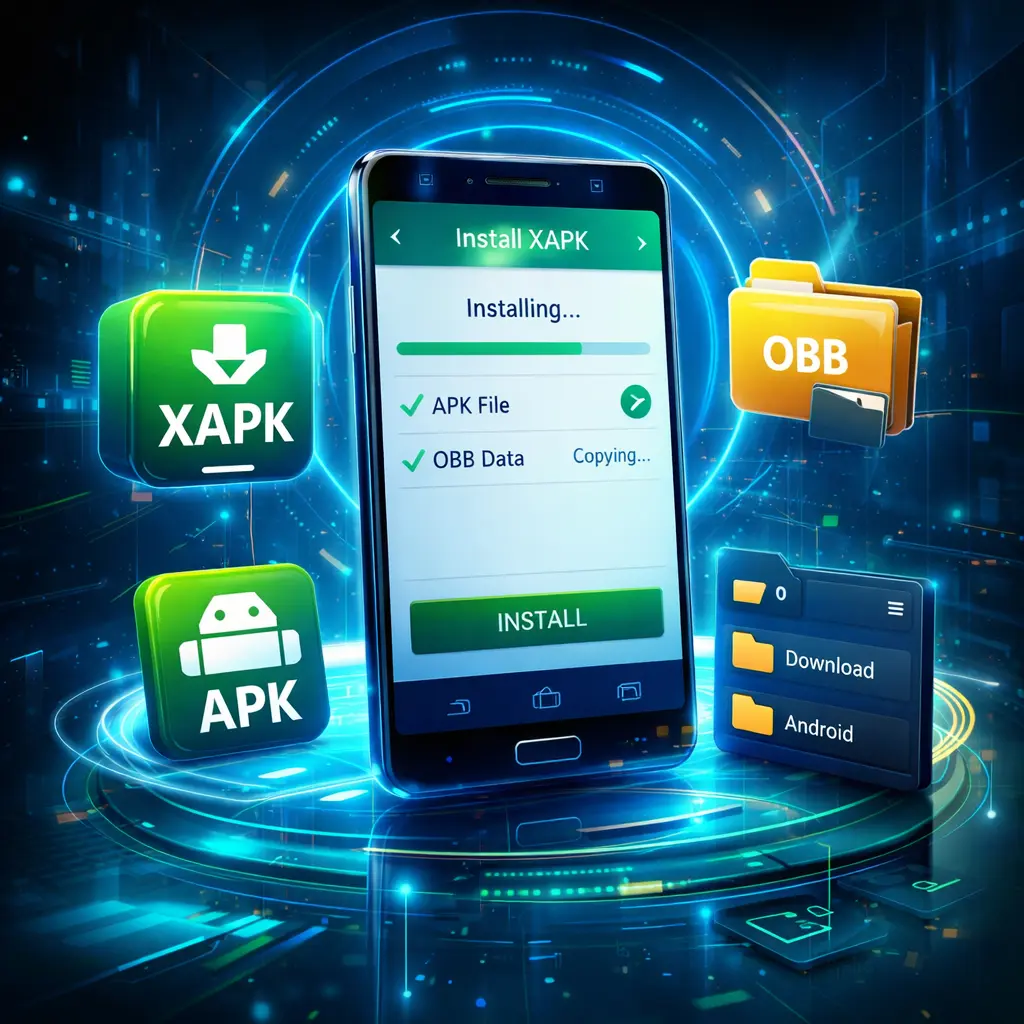
What Is an XAPK File?
An XAPK file is a package format used to distribute Android apps that need more than a simple APK file. It usually includes:
- The main APK file
- OBB data files for games or large apps
- Extra resources required during installation
In simple terms, an XAPK is like a compressed bundle. Instead of downloading the app and the data separately, you get everything in one file.
Why Developers and Download Sites Use XAPK
XAPK files are often used for:
- Large Android games
- Apps with offline assets
- Apps that need additional data after installation
- Easier app sharing outside the Play Store
This is why many users search for phrases like:
- how to install xapk file on android phone
- how to use xapk installer
- xapk manager
The good news is that installing an XAPK is not hard once you know the right method.
Is It Safe to Install XAPK Files?
Yes, but only if you download them from trusted sources. Since XAPK files are usually installed outside the Play Store, you should be more careful than usual.
Safety Checklist
- Download only from reliable websites
- Avoid modified files from unknown pages
- Scan the file if you are unsure
- Check app permissions before opening it
- Use a trusted installer or manual method
If you are dealing with game files that include extra assets, this guide on How to install OBB file on Android 14 will also help you understand where those files go.
Best Ways to Install XAPK Files on Android
Below are the most practical apps and methods for installing XAPK files in 2026. Each option includes an overview, key features, pros, cons, and who it suits best.
1. XAPK Manager
Overview
XAPK Manager is another useful option for users who want better file control without making the process too technical. It focuses on locating XAPK packages, organizing them, and helping you install them correctly.
When people search for xapk manager, they are usually looking for a clean tool that makes installation easier than doing everything by hand.
Key Features
- Finds XAPK files in storage
- Organizes packages in one place
- Handles installation steps for many app bundles
- Useful for repeat sideloaders
- Often cleaner than generic file managers
Pros
- Neat file management
- Good for users with many downloaded packages
- Easier than manual extraction
- Saves time if you sideload often
Cons
- Not as widely known as APKPure
- Interface quality depends on the version
- Some advanced packages may still need manual handling
Best For
- Intermediate users
- People who download many apps
- Users who want better organization
Why Choose It Over Basic Installers?
If you frequently sideload apps, XAPK Manager gives you a more structured experience. Instead of browsing random folders every time, you can manage your packages from one place.
2. ZArchiver for Manual Installation
Overview
If automatic installers fail, ZArchiver is one of the best tools for manual installation. This is why so many users search for how to install xapk file on android zarchiver.
ZArchiver lets you open, extract, and move files inside an XAPK package. It is especially useful when you need to separate the APK from the OBB data.
Key Features
- Extracts XAPK, ZIP, RAR, and more
- Lets you move files into Android folders
- Works well for manual APK and OBB setup
- Gives more control over the installation process
- Helpful on newer Android versions with file restrictions
Pros
- Powerful and flexible
- Excellent for troubleshooting
- Works when automatic installers fail
- Great for advanced users
Cons
- Not beginner-friendly at first
- Easy to place files in the wrong folder
- Requires attention to detail
Best For
- Power users
- Gamers installing large apps
- Anyone dealing with APK + OBB manually
How to Install XAPK File on Android Using ZArchiver
Here is the practical method:
- Open ZArchiver.
- Locate the downloaded XAPK file.
- Rename the file extension from
.xapkto.zipif needed. - Extract the file.
- Inside the extracted folder, look for:
- an APK file
- an
Android/obbfolder or OBB data file
- Install the APK file first.
- Move the OBB folder to:
/Android/obb/ - Make sure the folder name matches the game package name.
- Open the app.
This method is one of the most reliable solutions when auto-install tools cannot detect the data files correctly.
3. Manual Installation with a File Manager
Overview
A standard file manager can also help you install XAPK content manually. This method is not as elegant as using an XAPK installer, but it is useful when you want full control or your installer app keeps failing.
Key Features
- No need for a dedicated XAPK app
- Works with extracted files
- Useful for APK and OBB placement
- Good backup method when other tools fail
Pros
- Full control over file placement
- No dependency on third-party installer logic
- Good for troubleshooting unusual packages
Cons
- More time-consuming
- Easy for beginners to make mistakes
- May require another app to extract archives
Best For
- Users who understand Android folders
- Manual troubleshooters
- Advanced sideloading situations
Manual Method Summary
- Extract the XAPK
- Install the APK
- Copy OBB to the correct folder
- Reopen the app
This is also the method most similar to what you would do when learning How to install obb file on android 14 for modern devices.
4. Installing XAPK on Android TV
Overview
Many users want to know how to install xapk on android tv because TV devices often do not support direct app package handling as smoothly as phones do. The process is possible, but you usually need one extra step.
Key Features
- Works for large game and media apps
- Can be done through USB, cloud transfer, or local network
- Often paired with a file manager or send-to-TV app
Pros
- Lets you sideload apps not available in the TV Play Store
- Useful for regional apps and streaming tools
- Great for power users
Cons
- TV navigation is slower
- Some apps are not optimized for remote control
- File transfer can be annoying the first time
Best For
- Smart TV users
- Android TV box owners
- Users comfortable with sideloading
Best Practical Method
For Android TV, the easiest setup is often:
- Transfer the XAPK from your phone or PC
- Extract the package if necessary
- Install the APK
- Copy OBB data to the correct folder if included
Useful tools often include file manager apps and transfer apps. If your TV does not run a dedicated XAPK installer properly, manual extraction is usually the best fallback.
5. How to Install XAPK on Google TV
Overview
If you are searching for how to install xapk on google tv, the process is similar to Android TV, but Google TV devices can have slightly different menu layouts and security prompts.
Key Features
- Similar installation process to Android TV
- Supports sideloading with permission changes
- Better for users already familiar with TV-based Android systems
Pros
- Flexible platform
- Good app ecosystem
- Can handle sideloaded apps with the right setup
Cons
- Some devices restrict file access more than phones
- Some XAPK installers are not TV-friendly
- Large games may still need manual OBB placement
Best For
- Google TV users
- Chromecast with Google TV owners
- Streaming and media enthusiasts
Recommended Workflow
- Enable installation from unknown sources.
- Transfer the XAPK file to the device.
- Use a file manager to locate the file.
- If direct install fails, extract the XAPK.
- Install the APK file.
- Move any OBB files to the proper location.
If you mostly install media apps, this process is usually manageable. If you install games, expect to handle extra data manually more often.
6. Installing XAPK on Firestick
Overview
Many users also want to know how to install xapk file on firestick. Since Firestick runs a modified Android-based system, you can sideload apps, but it is not always friendly to XAPK packages out of the box.
Key Features
- Supports sideloading through downloader apps
- Can install APK files directly
- XAPK usually needs extraction first
Pros
- Good for apps unavailable on Amazon Appstore
- Works well once configured
- Helpful for streaming-focused users
Cons
- XAPK direct support is limited
- Remote navigation is slower
- Extra file management is often required
Best For
- Fire TV and Firestick users
- Streaming app sideloaders
- Users willing to do a few manual steps
How to Install XAPK File on Firestick
A practical method looks like this:
- Enable apps from unknown sources in Firestick settings.
- Install a file manager and a downloader tool.
- Download the XAPK file or transfer it from another device.
- Extract the XAPK file.
- Install the APK part first.
- Move any OBB or data folders if the app requires them.
- Launch the app.
Because Firestick is not as flexible as a phone, manual extraction is often the most reliable route.
7. Open XAPK File Online: Is It Worth It?
Overview
Some users search for open xapk file online because they want to inspect the package without installing anything. Online extraction tools can sometimes show the files inside an XAPK, but they are not usually the best option for real installation.
Key Features
- Lets you inspect package contents
- May extract APK and OBB files online
- Useful for quick file checking
Pros
- Handy for checking what is inside an XAPK
- Useful if you are on a computer
- Can help you confirm package structure
Cons
- Not ideal for privacy-sensitive files
- Often slower than local extraction
- Does not solve actual installation on your device
- Not every website is trustworthy
Best For
- Users who only want to inspect contents
- Desktop users checking file structure
- Troubleshooting before manual setup
Recommendation
If your goal is to actually install the app, use a local tool like ZArchiver or an XAPK installer instead. Online tools are more useful for inspection than installation.
Comparison Table: Best Ways to Install XAPK Files
| Device Support | Difficulty Level | Direct XAPK Support | Best Use Case |
|---|---|---|---|
| Android phones and tablets | Easy | Yes | Fast install for beginners |
| Android phones and tablets | Easy to Medium | Yes | Organizing and installing multiple packages |
| Android phones, tablets, some TV devices | Medium | Indirect | Manual extraction and APK + OBB setup |
| Android devices | Medium to Hard | No | Troubleshooting and manual file placement |
| Android TV | Medium | Sometimes | Installing TV apps and games |
| Google TV | Medium | Sometimes | Sideloading apps on Google TV devices |
| Firestick / Fire TV | Medium | Rarely | Streaming apps and extracted XAPK packages |
| PC or browser | Easy | Inspection only | Viewing package contents online |
Which Method Is Best for You?
The best method depends on your device and experience level.
Choose XAPK Manager if:
- You sideload often
- You want better organization
- You manage many downloaded packages
Choose ZArchiver if:
- The installer app fails
- You need manual control
- Your XAPK includes OBB files that must be moved
Choose Manual Installation if:
- You are on Android TV, Google TV, or Firestick
- Your package is unusual
- You want to troubleshoot step by step
Beginner Tips for Installing XAPK Files Without Errors
If you are new to Android package installation, these tips will save you time.
1. Always Check the File Extension
Make sure your file is really .xapk. Sometimes files are mislabeled or partially downloaded.
2. Keep Enough Storage Free
Many XAPK packages are large. You need space for:
- the downloaded file
- the extracted files
- the installed app
3. Do Not Delete the OBB Folder Too Early
Some games need the OBB data folder to remain in place after installation.
4. Install the APK Before Launching the App
If you move OBB first but forget to install the APK, the app still will not open.
5. Match the Folder Name Exactly
When moving OBB files manually, the folder name should match the app package name.
6. Use Trusted Tools Only
Random installer apps can cause more trouble than they solve. Stick with known tools and well-reviewed file managers.
7. Restart the Device if the App Does Not Appear
Sometimes Android does not refresh the app list immediately after sideloading.
Common Problems and Fixes
“App not installed”
Possible reasons:
- The APK is incompatible with your Android version
- The package is corrupted
- Split installation failed
- Existing app signature conflicts with new version
Fix: uninstall the old version, redownload the file, and try again.
“Game opens, then closes”
Possible reasons:
- OBB file is missing
- Data folder is in the wrong location
- Incomplete extraction
Fix: recheck the OBB path and package folder name.
“Installer cannot detect XAPK”
Possible reasons:
- File is in an unusual folder
- Installer lacks storage permission
- The XAPK format is unsupported
Fix: move the file to Downloads, grant permissions, or use ZArchiver.
“Works on phone but not TV”
Possible reasons:
- App is not designed for TV
- Missing remote support
- Extra data not copied correctly
Fix: try manual installation and confirm the app is TV-compatible.
Tips for Choosing the Right XAPK Installer
Not every installer app is equally good. Here is what to look for.
Look for Simple Navigation
If the app feels cluttered or confusing, beginners will struggle. A clear file scanner and install button matter.
Check Storage Access
An installer that cannot scan internal storage properly will waste your time.
Prefer Apps That Handle OBB Automatically
This saves effort when installing games or large apps.
Avoid Overloaded Tools
Some installers come with too many unnecessary extras. A focused utility is usually better.
Test with a Small App First
Before using a large game, try a smaller XAPK package to make sure the installer works correctly on your device.
Helpful Resources and Community Links
If you want visual guides, updates, or installation tips, these links can be useful:
- Watch tutorials on the APKZBay YouTube channel
- Follow updates on Instagram
- Join the community on Facebook
- Get quick file and update alerts on Telegram
- Stay connected through the WhatsApp Channel
These are helpful if you prefer step-by-step visual support instead of text-only instructions.
FAQs About Installing XAPK Files
1. What is the easiest way to install an XAPK file on Android phone?
The easiest way is to use a dedicated installer such as XAPK Manager. These tools detect the file and automate most of the process.
2. Can I install XAPK files without an installer app?
Yes. You can extract the XAPK manually using ZArchiver, install the APK file, and move any OBB files to the correct folder yourself.
3. How do I install XAPK file on Android using ZArchiver?
Open the XAPK in ZArchiver, extract it, install the APK inside, then move the OBB data folder to /Android/obb/ if needed.
4. Can I open XAPK file online?
Yes, some online archive tools can show the contents of an XAPK file, but they are more useful for inspection than actual installation. Local tools are safer and more practical.
5. How to install XAPK on Android TV or Google TV?
Transfer the file to the device, enable unknown sources, and try an installer app. If that fails, extract the XAPK manually, install the APK, and place the data files correctly.
6. How to install XAPK file on Firestick?
On Firestick, the usual approach is to enable sideloading, download or transfer the XAPK, extract it, install the APK, and manually place any needed data files.
7. Why does my XAPK app install but not open?
This usually happens when the OBB data is missing, placed in the wrong folder, or not extracted properly. Recheck the package structure and storage path.
Final Thoughts
Learning how to install xapk file on android phone is much easier once you understand what an XAPK actually contains. In most cases, a good installer app like XAPK Manager is enough. For harder cases, ZArchiver and manual setup give you more control.
The best approach is simple:
- use an automatic installer first
- switch to ZArchiver if needed
- double-check OBB placement for games
- be extra careful on Android TV, Google TV, and Firestick
If you regularly sideload apps, it is worth learning both the automatic and manual methods. That way, you are prepared no matter what type of XAPK package you download.
For related guides, read:
Recent Posts
- How to Install APK from CX File Explorer on Android

- How to Install APK from My Files App on Android: A Complete Beginner-Friendly Guide
- How to Install APK Without Errors Android Guide
- How to Install APK After Downloading ZIP File
- This App Is Not Compatible With This Device Problem Solution
- How to Prevent Installing Harmful Apps
- How to Access Android Data Folder with Shizuku: Complete No-Root Guide
- How to Install APK on Amazon Fire Tablet Safely and Easily
- Install Unknown Apps Not Showing for Browser Fix Android: A Complete Beginner-Friendly Guide
- Why XAPK Files Need Extra Installer Android: A Complete Beginner-to-Pro Guide
- Trusted APK Sites for Android Safety Guide: How to Download APKs Without Putting Your Phone at Risk
- Fake App Clone Warning Signs on Android: How to Spot Unsafe Apps Before You Install Them